
Наши сервера

VIP
306
Hi everyone,
Lately, many players, including me, have been experiencing high ping and lag on MAXPLAYERS servers. From what I’ve found out, this is likely due to daily DDoS attacks on the hosting where the servers are located. I want to share a solution that worked for me — especially useful for players outside of Russia.
For me, the program ExitLag solved the problem completely. You can download it here:
https://www.exitlag.com/download/
What is ExitLag?
ExitLag is a tool that optimizes your internet connection to game servers.
It reduces latency (ping), minimizes packet loss, and makes your connection more stable.
It works by finding the best route to the server in real time.
After installing and testing ExitLag, all my ping spikes and lag disappeared. The connection became stable, gameplay feels smooth, and shooting or movement in-game is much more responsive.
ExitLag offers 3 free trial days, which is enough to see if it works for you. If it does, a subscription costs $10 per month.
If you’re interested, setting up ExitLag is very simple — it only takes a few clicks. Here’s a short guide with pictures to help you get started. Anyone can do it easily.
In your game library, find CS 1.6.
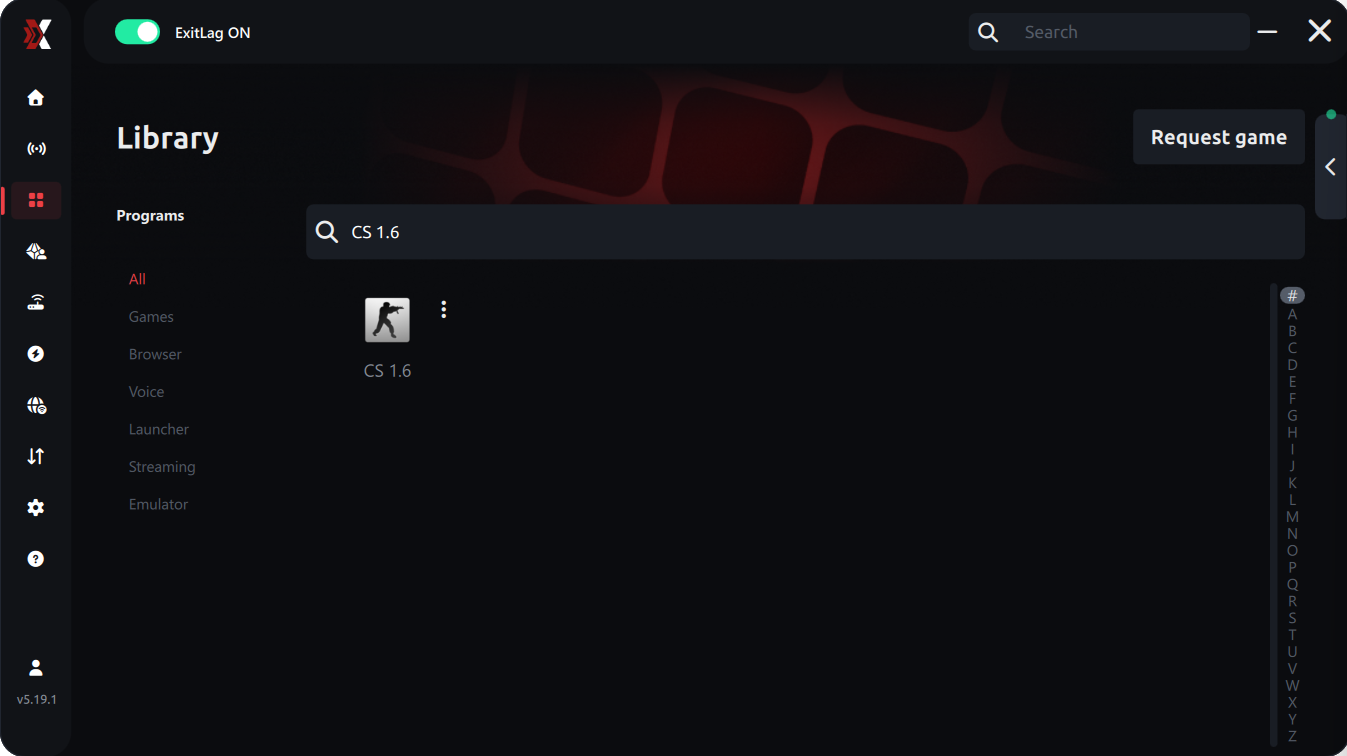
Go to the game’s page and click the “Select Region or Server” button.
Next, the setup — I’m writing how it worked for me (you can experiment yourself):
Manual server selection → Region: Europe → Server: RU Moscow01
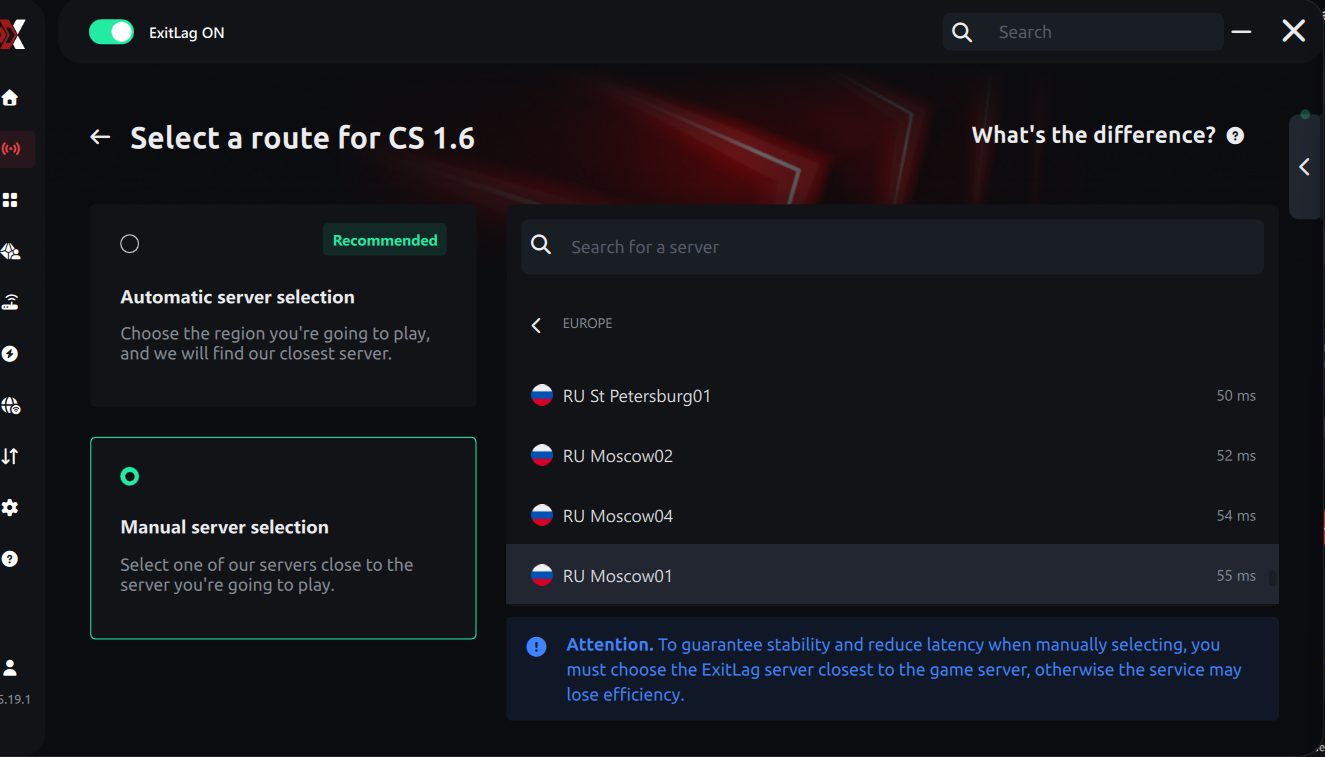
Click the “Apply Routes” button
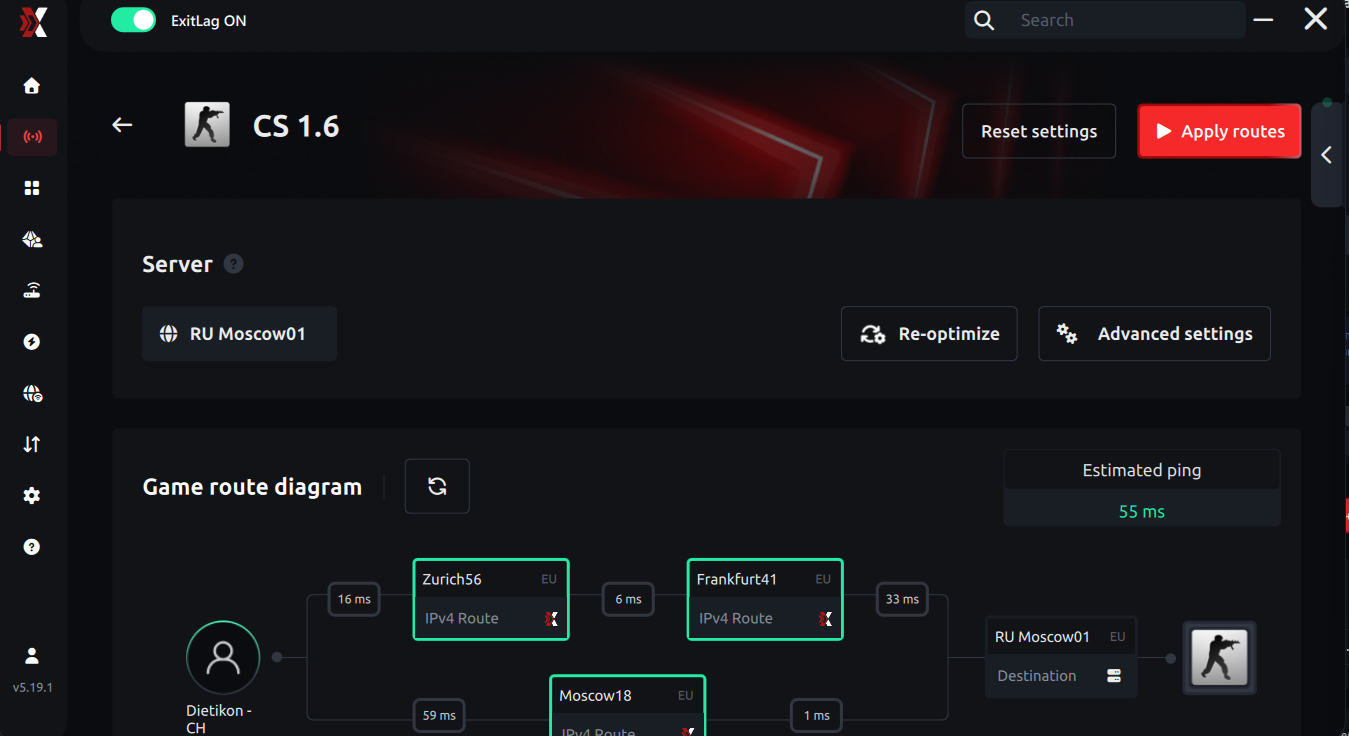
Now you can start playing!
P.S. I’m also adding Steam on my side, just in case.
I want to mention that I’m not claiming to be an expert on this — I’m just sharing information that helped me personally and, hopefully, will help other players who are experiencing the same issues. During DDoS attacks, the online player count drops, and the game becomes less enjoyable. I hope the situation stabilizes soon so everyone can play smoothly without lag.

I mostly use automatic server selection because it gives me better ping (from about 140 to 100). Also make sure to open CS 1.6 server list first before starting ExitLag, as servers may not appear otherwise. If that happens, just paste the server IP into the console to join